
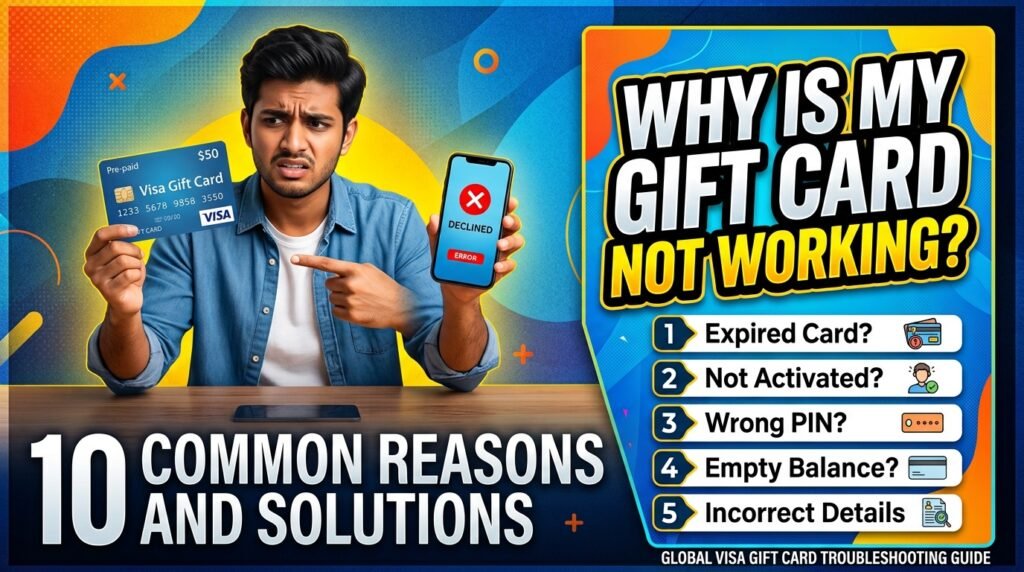
You’re standing at checkout, card in hand, ready to pay — and then the dreaded message pops up: “Card declined.” It’s frustrating, especially when you were counting on that balance.
Before you assume the worst, take a breath. Nine times out of ten, a gift card decline has a simple, fixable explanation.
We’ve put together the most common reasons gift cards stop working, along with what you can actually do about each one.
1. The Card Hasn’t Been Activated Yet
This is the number one reason gift cards fail, especially with cards bought in physical stores. Some cards need to be activated at the register when purchased, while others require you to activate them online or over the phone before first use.
The fix: Check the back of the card or the packaging for activation instructions. If there’s an activation link or number, use it before trying to spend anything. If you bought the card online, check your email for an activation confirmation — sometimes it’s sitting in your spam folder.
2. You’re Out of Balance (or Closer to Zero Than You Think)
It sounds obvious, but it happens constantly. Partial spends, forgotten purchases, or a balance that was lower than expected to begin with can all leave you short at checkout.
The fix: Most gift cards let you check your balance online through the issuer’s website, or by calling the number printed on the card. Do this before you shop, not after you’re already at the register.
3. The Card Has Expired
Yes, gift cards can expire — though the rules vary a lot depending on where you live and what type of card you have.
Store-specific gift cards in some regions are required by law to never expire, but general-purpose prepaid cards (like Visa or Mastercard gift cards) often do have an expiration date.
The fix: Look for an expiration date printed on the card. If it’s expired, contact the issuer — some will reissue the remaining balance onto a new card, especially if local consumer protection laws require it.
4. Mismatched Billing Information
If you’re using the card online, some merchants ask for a billing address or zip code to match the cardholder’s information. Since gift cards usually aren’t tied to a specific person’s address, this can cause a mismatch and an automatic decline.
The fix: Try using the billing address associated with the card issuer (often available in your account or on the card packaging), or check if the merchant allows you to skip AVS (Address Verification System) matching for prepaid cards.
5. The Merchant Doesn’t Accept That Card Network
Not every gift card works everywhere. A store-specific gift card only works at that store (and sometimes its online site — but not always).
Even network-branded cards (Visa, Mastercard, etc.) can occasionally run into merchants that don’t accept prepaid cards for certain transaction types, like subscriptions or recurring payments.
The fix: Double-check what the card is actually valid for. Read the terms that came with it — this is usually printed on the card sleeve or emailed to you at purchase.
6. You’ve Hit a Merchant’s Pre-Authorization Hold
This one catches a lot of people off guard. Certain purchases — hotel bookings, gas stations, car rentals — place a temporary hold that’s larger than the actual purchase amount.
If your card doesn’t have enough balance to cover that hold, it’ll decline even though you technically have enough for the real cost.
The fix: Avoid using gift cards for these types of transactions when possible. If you must, make sure the balance comfortably exceeds the expected charge.
7. Technical or Processing Errors
Sometimes it’s not the card at all — it’s a glitch on the merchant’s end, a temporary outage with the payment processor, or a website that isn’t handling the card type correctly.
The fix: Try the transaction again after a few minutes. If it still fails, try a different browser or device if you’re shopping online, or attempt the purchase at a different terminal if you’re in-store.
8. The Card Was Damaged or the Chip/Number Is Unreadable
Cracked cards, demagnetized strips, or scratched-off PIN codes can all make a card unreadable — physically or digitally.
The fix: If the card number and any associated PIN or CVV are still legible, try manually entering the details online instead of swiping or tapping.
If the numbers are damaged beyond reading, contact customer support with your proof of purchase; many issuers can transfer the balance to a replacement card.
9. Suspected Fraud or Security Flag
If a card is used in a way that looks unusual — multiple failed attempts, purchases from an unfamiliar location, or spending patterns that resemble fraud — some issuers will automatically freeze it as a precaution.
The fix: Contact the card issuer’s customer service directly. They can verify your identity and lift the hold if everything checks out.
10. It’s Simply the Wrong Card Type for the Purchase
Some gift cards are restricted — they can’t be used for cash withdrawals, certain categories of goods, or specific payment types like recurring subscriptions or peer-to-peer transfers.
The fix: Check the card’s terms of use. This is usually the fastest way to rule out whether the decline is a restriction rather than an error.
What to Do If None of This Works
If you’ve gone through this list and your card is still not working, don’t just assume the balance is lost. Reach out to customer support with:
- The card number (keep the physical card or digital record safe until the issue is resolved)
- Your proof of purchase or receipt
- Any error message you received at checkout
A little patience here goes a long way — most issues turn out to be something small, and most issuers want to help you actually use the money you paid for.
Final Thoughts
A declined gift card is annoying, but it’s rarely a dead end. Whether it’s an activation step you missed, a balance mismatch, or a technical hiccup, there’s almost always a clear reason behind it — and usually a quick fix too.
Keep your card details and receipts handy, check your balance before you shop, and when in doubt, reach out to support before assuming the worst.